
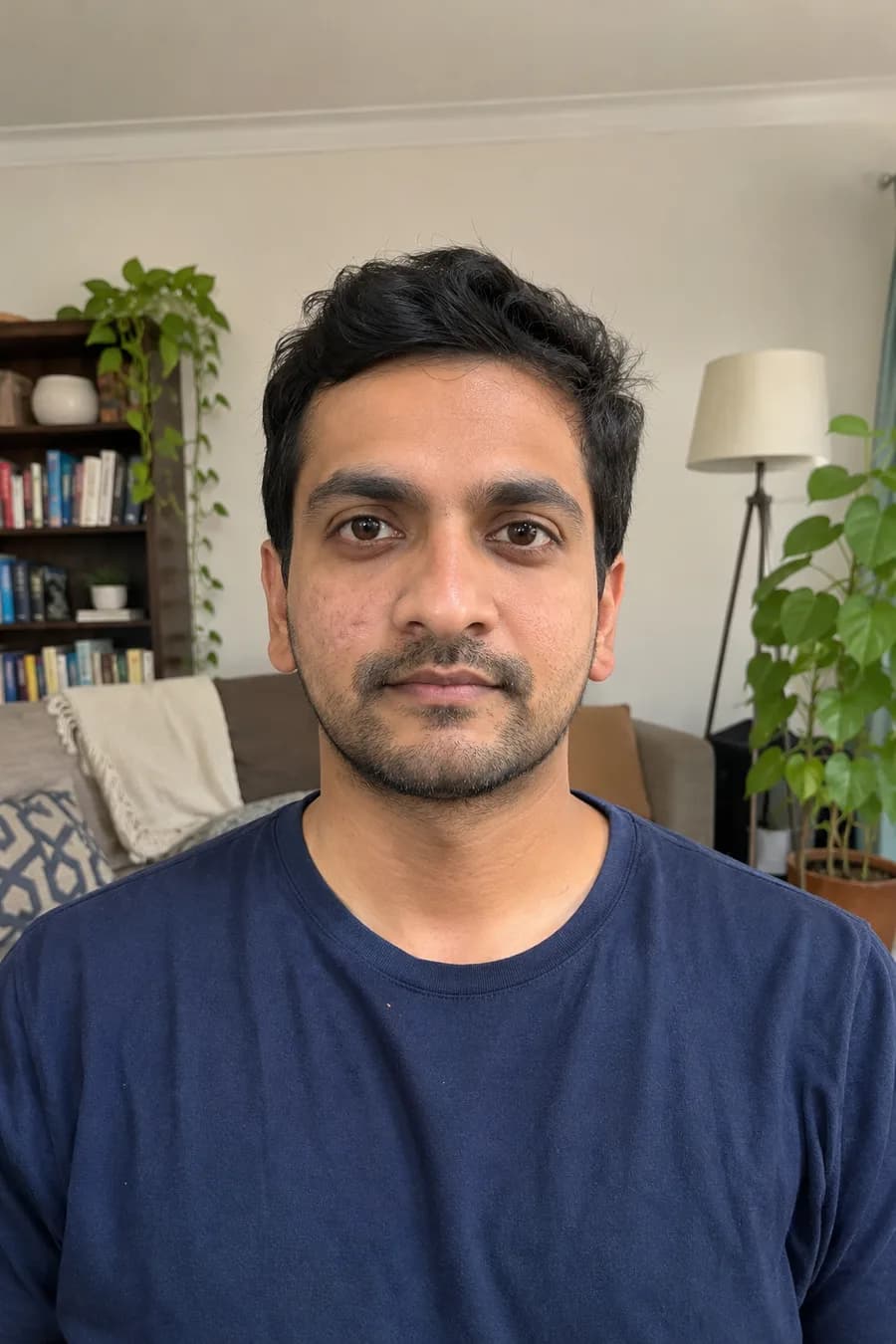
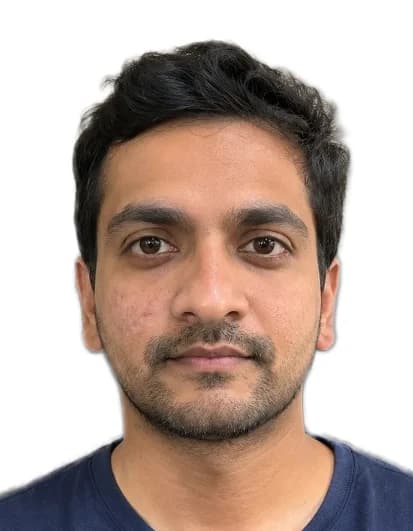
Which passport and visa photos need a white background
ICAO only asks for a plain, light, even background. Each country picks the colour. These are the backgrounds the published rules ask for:
| Document | Background |
|---|---|
| US passport and visa (2 × 2 in) | White or off-white |
| UAE visa and Emirates ID | White |
| Saudi e-visa (Umrah included) | White |
| Indian passport (applying from abroad) | White |
| Indian e-Visa and regular visa | White or light-coloured |
| Japan visa | White |
| China visa | White or near-white |
| Thailand visa | White |
| Korea visa | White or off-white |
| Nigeria passport (NIS upload) | White |
| Canadian passport | White or light-coloured |
| Australian passport | White or light grey |
| Schengen visa | Plain and light; the shade varies by country |
| UK passport and visa | Cream or light grey, not white |
For the other countries, see passport and visa photos by country. Rules change, so also check the upload screen or the office you apply to.
When white is the wrong colour
A UK passport or visa photo needs a plain cream or light grey background, so a bright white one is a common mistake there. Some Schengen countries also show light grey in their examples. That is why we don’t make every photo white: when you choose your document, we use the background colour set for that document.
How to get a white background from a phone photo
- Stand about a metre in front of a plain wall, facing a window, so no shadow falls behind you.
- Ask someone to take the photo at eye level from 1–2 m. Keep your face neutral, eyes open, hair off your face.
- Upload it above and choose your document. We cut you out, put you on a plain background in the right colour, crop to the size and check the photo.
- Download the digital file for online forms, or print the 4 × 6 in sheet.
Tips for a clean white background
- Avoid a white top. White clothes can blend into a white background. A darker or coloured top keeps your outline clear.
- No shadows. Light from the front, not from a lamp behind or above you. Shadows on the background are a frequent reason for rejection.
- Hair and edges. Loose hair is fine, but keep it off your face and eyes so the outline stays clean.
- Edited photos. Some offices don’t accept photos changed by software, for example the Korean residence card (see the Korea visa photo page). Our country pages say where this applies.
Sources · U.S. Department of State: passport photos · GOV.UK: photos for passports · UAE ICP (Federal Authority for Identity, Citizenship, Customs & Port Security) · Government of Canada: passport photos · Australian Passport Office: passport photos · ICAO Doc 9303, Part 3